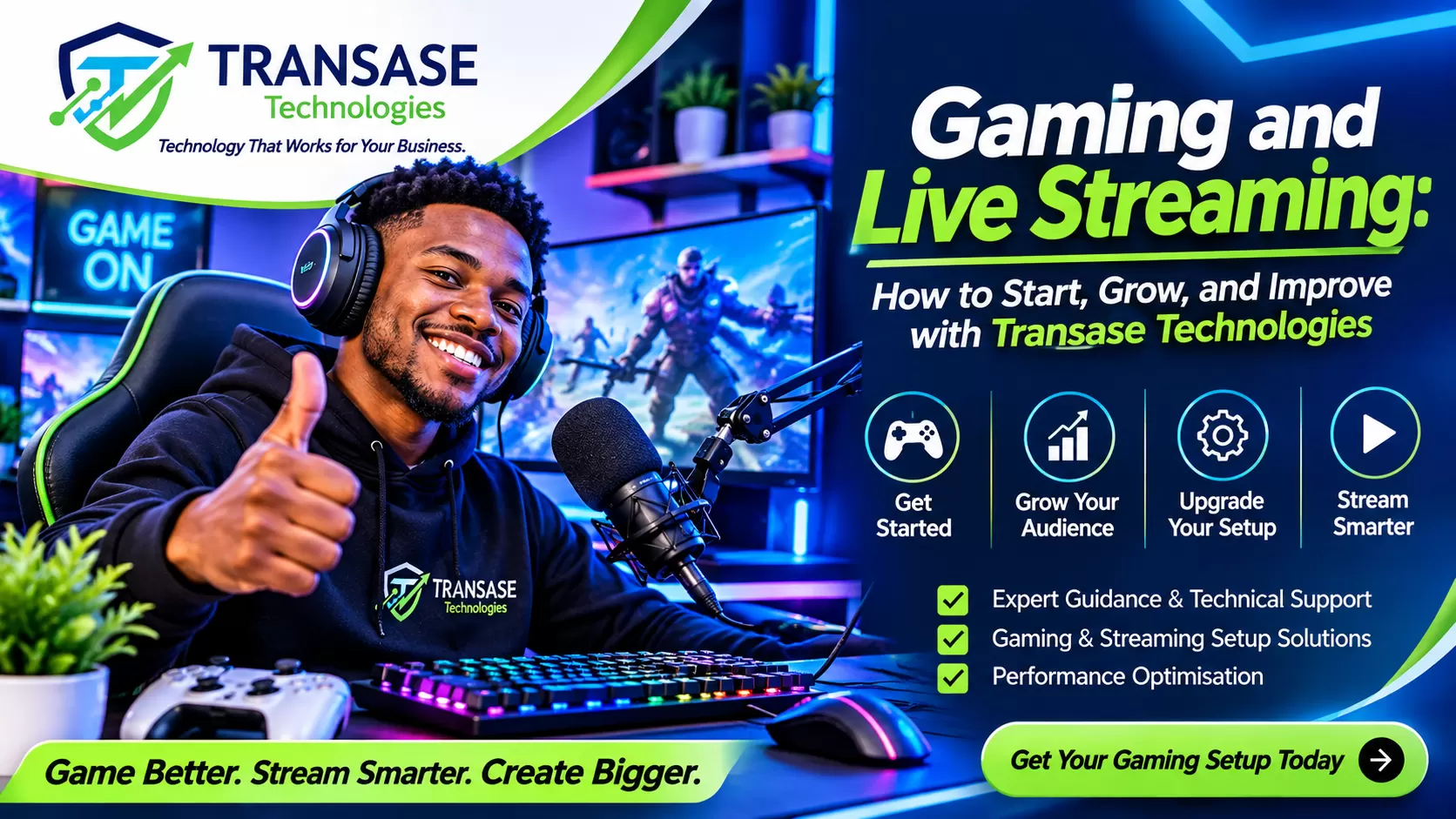
The Future of Gaming Is More Than Playing: It's Creating, Connecting, and Building a Community.Gaming and Live Streaming: How to Start, Grow, and Build a Successful Streaming Career with Transase Technologies
The Future of Gaming Is More Than Playing: It's Creating, Connecting, and Building a Community.
Introduction: The Rise of Gaming and Live Streaming
Gaming has evolved far beyond a simple hobby. What was once considered an activity for entertainment has grown into a global digital industry, creating opportunities for content creators, professional gamers, streamers, esports players, gaming communities, and technology entrepreneurs.
Today, millions of people around the world enjoy watching live gaming sessions, following their favourite gaming personalities, participating in online tournaments, and connecting with other gamers through digital platforms.
Platforms such as YouTube, Twitch, TikTok, and Facebook Gaming have made it possible for individuals to turn their passion for gaming into a creative outlet, a personal brand, and potentially a source of income.
However, becoming a successful gaming content creator involves more than owning a gaming console or playing popular games. It requires the right equipment, reliable internet connectivity, quality audio and video, technical knowledge, consistency, creativity, and an understanding of how to engage an audience.
This is where Transase Technologies comes in.
At Transase Technologies, we recognise the growing opportunities within the gaming and live-streaming industry. Our goal is to help gamers, aspiring streamers, established content creators, and gaming businesses access the technology and technical support they need to create better gaming and streaming experiences.
Whether you are starting from scratch or looking to upgrade your existing streaming environment, the right technology setup can make a significant difference.
Let's explore how you can get started, improve your streaming quality, grow your audience, and build a stronger presence in the gaming industry.
1. Understanding Gaming and Live Streaming
Before starting your streaming journey, it is important to understand the difference between gaming and game streaming.
What Is Gaming?
Gaming involves playing digital or electronic games using devices such as:
Gaming PCs and laptops.
PlayStation consoles.
Xbox consoles.
Nintendo Switch.
Android and iOS smartphones.
Other dedicated gaming devices.
Gaming can be enjoyed casually, competitively, or professionally.
Some players participate in esports competitions, while others enjoy multiplayer games, sports simulations, adventure games, role-playing games, and battle royale games.
What Is Game Streaming?
Game streaming involves broadcasting your gaming activities live or sharing recorded gameplay with an online audience.
Instead of playing privately, you allow viewers to watch your gameplay, listen to your commentary, interact with you, and become part of your gaming community.
Popular streaming platforms include:
YouTube Gaming: Suitable for live streams, gaming tutorials, recorded gameplay, and gaming content.
Twitch: A popular platform dedicated to live streaming and gaming communities.
Facebook Gaming: Provides opportunities to reach Facebook audiences through live gaming content.
TikTok Live: Useful for interactive entertainment and reaching audiences through short-form content and live broadcasts.
A streamer can broadcast gameplay, interact with viewers, organise gaming challenges, host competitions, and create educational gaming content.
2. Why You Should Consider Becoming a Gaming Content Creator
The gaming industry offers several opportunities for people willing to develop their skills and build an audience.
Here are some reasons to consider becoming a gaming creator.
A. Turn Your Passion into Content
If you already enjoy gaming, streaming provides an opportunity to share that passion with others.
You can record your favourite games, explain strategies, share funny gaming moments, or entertain viewers through live commentary.
B. Build Your Personal Brand
Streaming allows you to develop a recognisable identity.
Your gaming personality, communication style, favourite games, graphics, channel name, and content style can help distinguish you from other creators.
C. Build a Community
Gaming is naturally social.
Through live chats, multiplayer sessions, gaming challenges, and community events, you can develop relationships with viewers who share your interests.
D. Explore Monetisation Opportunities
As your audience grows, you may become eligible for different revenue opportunities, depending on the platform and its requirements.
These can include:
Advertising revenue.
Channel memberships and subscriptions.
Viewer donations and tips.
Sponsorships and brand partnerships.
Affiliate marketing.
Paid gaming events.
Merchandise and personal products.
It is important to understand that monetisation is not automatic. Each platform has its own eligibility rules, and building a sustainable income usually requires time, consistency, and audience trust.
3. How to Get Started with Gaming and Live Streaming
One of the biggest misconceptions about streaming is that you need an expensive studio before you can begin.
That is not necessarily true.
You can start with a simple setup and gradually improve your equipment as your skills and audience develop.
Here is a practical guide.
Step 1: Choose Your Gaming Niche
The first step is deciding what type of gaming content you want to create.
Rather than trying to play every available game, consider focusing on a category that interests you.
Some popular gaming content categories include:
Competitive Gaming
This includes games where players compete against one another to demonstrate their skills.
Sports Gaming
You can stream football, basketball, racing, and other sports simulation games.
Adventure and Story Games
Create content around exploration, missions, challenges, and story-driven gameplay.
Mobile Gaming
Stream popular mobile games using a compatible smartphone and streaming setup.
Gaming Tutorials
Teach viewers how to improve their gaming skills, understand game mechanics, and develop better strategies.
Entertainment Gaming
Focus on humour, reactions, challenges, audience participation, and entertaining gameplay.
Choose a niche that you enjoy because your enthusiasm will help you remain consistent.
Step 2: Choose Your Gaming Device
Your gaming device is the foundation of your streaming setup.
You can begin with any of the following:
A gaming PC.
A gaming laptop.
A PlayStation console.
An Xbox console.
A compatible smartphone.
For creators interested in professional streaming, a gaming PC provides flexibility because it can support broadcasting software, overlays, alerts, recording, and additional production tools.
However, a console or smartphone can also be an excellent starting point.
The important thing is to select equipment that supports the games you want to play and the quality of streaming you want to achieve.
Step 3: Get the Right Streaming Equipment
A good streaming setup does not depend on one device alone. Several components work together to create a professional viewing experience.
1. Gaming Computer or Console
Your gaming device should be powerful enough to run your selected games smoothly.
For PC streaming, consider the processor, graphics card, RAM, storage, and cooling system.
2. Microphone
Audio quality is extremely important.
Viewers may tolerate average video quality, but poor sound can make them leave a stream quickly.
A dedicated USB microphone is a practical starting point. As your channel grows, you can consider more advanced audio equipment.
3. Webcam or Camera
A webcam allows viewers to see your reactions while playing.
This can make your content more personal and interactive.
You do not necessarily need an expensive camera at the beginning. A reliable webcam with good lighting can produce a respectable result.
4. Headset
A gaming headset helps you hear in-game sounds, communicate with teammates, and monitor your audio.
Choose one with comfortable ear cushions and a clear microphone if you plan to use its built-in microphone.
5. Lighting Equipment
Lighting makes a significant difference in how professional your camera feed looks.
A ring light, LED light, or softbox can improve visibility and reduce unwanted shadows.
6. Internet Connection
Your internet connection is one of the most important parts of your streaming setup.
An unstable connection can cause buffering, dropped frames, interrupted broadcasts, and poor viewer experiences.
Where possible, use a stable broadband connection and connect your streaming computer through Ethernet rather than relying entirely on Wi-Fi.
Also test your upload speed and stream settings before going live.
Step 4: Install Streaming Software
Streaming software allows you to broadcast your gameplay, camera feed, microphone audio, and other visual elements.
One widely used option is OBS Studio.
OBS Studio allows creators to:
Capture gameplay.
Add webcam footage.
Display logos and graphics.
Include background music.
Create different streaming scenes.
Adjust audio sources.
Record videos.
Broadcast to supported platforms.
Other streaming tools may also be suitable depending on your computer, platform, and production requirements.
Start with a simple layout. You can introduce more advanced graphics and effects as you become comfortable with the software.
Step 5: Create and Configure Your Streaming Channel
Once your equipment is ready, establish your online presence.
Choose a memorable channel name that reflects your personality or gaming niche.
Next:
Upload a professional profile picture.
Design an attractive channel banner.
Write an informative channel description.
Add your social media links.
Configure your streaming settings.
Create a consistent visual identity.
Your channel should tell viewers what kind of content they can expect.
Step 6: Conduct a Test Stream
Before announcing your first major broadcast, conduct a private or unlisted test where the platform supports it.
Check:
Microphone clarity.
Game audio levels.
Camera positioning.
Lighting.
Internet stability.
Video resolution.
Stream delay.
Screen layout.
Recording quality.
Watch your recorded footage to identify problems.
A test stream can prevent technical difficulties from affecting your first audience experience.
4. How to Improve Your Gaming and Streaming Quality
Starting is important, but improving your production quality is what helps you create a better experience for your audience.
Here are some practical ways to improve.
A. Improve Your Audio Quality
Good audio should be one of your first priorities.
Make sure your microphone is positioned correctly and that background noise is minimised.
Avoid setting your microphone gain too high because it can introduce unwanted noise and distortion.
Use headphones to prevent game audio from feeding back into your microphone.
B. Upgrade Your Video Quality
Your stream should be clear enough for viewers to follow the gameplay comfortably.
Depending on your equipment and internet connection, you can consider:
720p streaming as a practical starting point.
1080p streaming for a sharper viewing experience.
Higher frame rates for fast-paced games when your system and platform support them.
Remember that a stable 720p stream is better than an unstable high-resolution broadcast.
C. Improve Your Streaming Background
Your background contributes to your channel's identity.
Keep your streaming environment clean, organised, and visually appealing.
You can use LED lighting, branded graphics, gaming accessories, and a well-arranged desk to create a more professional appearance.
D. Use Professional Streaming Overlays
Overlays are graphics displayed during your broadcast.
They can include:
Your gaming name or logo.
Social media usernames.
Recent follower notifications.
Subscriber alerts.
Donation notifications.
Live chat sections.
Stream starting and ending screens.
However, avoid overcrowding your screen. Your overlays should complement your gameplay rather than distract viewers.
E. Improve Your Gaming Performance
A creator should not only focus on the appearance of the stream but also on the quality of the gameplay.
Practise regularly, study game strategies, learn from experienced players, and understand the mechanics of the games you stream.
Your gaming ability and personality can both become important parts of your brand.
5. How to Grow Your Gaming Audience
Having excellent equipment does not automatically guarantee viewers.
Audience growth requires consistency, creativity, interaction, and patience.
Here are strategies to help you build your gaming community.
1. Create a Streaming Schedule
Choose specific days and times for your broadcasts.
For example:
Tuesday: Competitive gaming.
Thursday: Gaming challenges.
Saturday: Community gaming sessions.
Sunday: Gaming tutorials and highlights.
A consistent schedule helps viewers know when to expect your content.
2. Engage with Your Viewers
Do not treat streaming as a one-way broadcast.
Welcome new viewers, answer questions, respond to comments, and involve your audience in gaming decisions.
You can organise viewer challenges, friendly competitions, and multiplayer sessions.
3. Share Short Gaming Clips
Not everyone will discover your channel through live streaming.
Create short videos featuring:
Funny gaming moments.
Impressive victories.
Unexpected gameplay situations.
Helpful gaming tips.
Exciting highlights.
Behind-the-scenes content.
Share them on TikTok, Instagram Reels, YouTube Shorts, and other relevant platforms.
These clips can introduce new people to your content.
4. Collaborate with Other Creators
Collaborating with other streamers can expose your channel to new audiences.
Consider multiplayer sessions, gaming competitions, interviews, and collaborative challenges.
Choose creators whose content and audience interests are compatible with yours.
5. Study Your Analytics
Most major streaming platforms provide performance information.
Pay attention to:
Number of viewers.
Average viewing duration.
Audience engagement.
Follower growth.
Most popular content.
Viewer retention.
Use this information to understand what your audience enjoys and where you need to improve.
6. Common Mistakes New Streamers Should Avoid
Many aspiring creators become discouraged because they expect immediate results.
Avoid these common mistakes:
Buying Expensive Equipment Too Early
Do not spend your entire budget on equipment before understanding your actual streaming requirements.
Start with the essentials and upgrade gradually.
Ignoring Audio Quality
A beautiful streaming layout cannot compensate for unclear or distracting audio.
Streaming Without a Plan
Going live without knowing what you want to achieve can make your broadcasts uninteresting.
Plan your content before each session.
Inconsistent Streaming
Streaming occasionally makes it harder for viewers to develop a routine around your channel.
Ignoring Your Audience
Viewer engagement is a major part of live streaming. Always create opportunities for interaction.
Giving Up Too Quickly
Building an audience takes time. Focus on improvement rather than comparing your early progress with established creators.
Ignoring Online Safety
Protect your personal information, use strong passwords, enable two-factor authentication, and avoid exposing private information during broadcasts.
7. How Transase Technologies Can Help You Get Started and Improve Your Streaming Experience
Technology plays an important role in the success of any gaming and streaming operation.
A well-planned setup can help you reduce technical problems, improve broadcast quality, and create a more enjoyable experience for your viewers.
At Transase Technologies, we recognise that every gaming creator has different needs.
A beginner who wants to start streaming mobile games does not require the same setup as a professional gamer broadcasting high-performance PC games.
That is why choosing the right technology solutions is important.
Our game streaming and gaming setup services are designed to support individuals and businesses looking to establish or improve their gaming environments.
Here are some areas where Transase Technologies can support your journey.
A. Gaming and Streaming Setup
Getting all your devices to work together can be challenging, particularly for beginners.
A properly planned gaming setup considers your gaming device, display, microphone, camera, lighting, audio equipment, and internet connectivity.
Transase Technologies can help you plan and configure a gaming and streaming environment based on your goals and budget.
B. Technical Setup and Configuration
Streaming software and gaming hardware often require proper configuration.
Incorrect settings can lead to audio problems, poor video quality, performance issues, and interrupted broadcasts.
With technical setup support, creators can get assistance with configuring their streaming environment and connecting the necessary equipment.
C. Gaming Environment Upgrade
If you already stream but want to improve your production quality, consider upgrading strategically.
This may involve:
Improving your microphone setup.
Adding better lighting.
Improving your camera positioning.
Upgrading your gaming equipment.
Optimising your streaming computer.
Improving network connectivity.
Organising your gaming workspace.
Transase Technologies can help you identify the areas that need attention and plan suitable improvements.
D. Professional Gaming and Streaming Infrastructure
For individuals interested in building a dedicated gaming studio, gaming centre, or content creation space, technology planning becomes even more important.
You need to consider equipment compatibility, system performance, workspace layout, connectivity, power supply, and future expansion.
Transase Technologies can help you explore the technical requirements involved in establishing a suitable gaming and streaming environment.
E. Technical Support and Maintenance
Your equipment needs proper maintenance to continue performing reliably.
Regular software updates, system checks, hardware care, and troubleshooting can help prevent avoidable interruptions.
Having access to technical support can make it easier to identify and resolve problems when they arise.
Our philosophy is simple: technology should make your creative journey easier, not more complicated.
8. A Beginner's Gaming and Streaming Setup: What Do You Really Need?
If you are starting with a limited budget, here is a practical equipment guide.

You do not need everything immediately.
Your equipment should match your gaming device, content goals, and available budget.
Transase Technologies can help you understand your options before investing in equipment.
9. Building a Gaming Brand That Can Grow
Streaming should not only be about going live. It should also be about creating a recognisable brand.
Your brand is the identity people associate with your content.
Start by establishing:
A Unique Gaming Identity: Choose a memorable name, logo, and visual style.
A Clear Content Direction: Decide what viewers should expect whenever they visit your channel.
A Consistent Personality: Be authentic and develop a communication style that feels natural.
A Community Culture: Encourage positive interactions and make viewers feel welcome.
A Long-Term Strategy: Think beyond individual broadcasts. Develop a content plan that allows your channel to grow over time.
As your audience expands, you can explore sponsorship opportunities, affiliate partnerships, merchandise, and other legitimate business opportunities.
10. The Future of Gaming and Streaming in Nigeria
Nigeria has a growing digital entertainment ecosystem, and gaming presents exciting opportunities for young people, entrepreneurs, content creators, and technology enthusiasts.
With increasing access to smartphones, computers, internet services, and social media platforms, more people can explore gaming as a creative and commercial opportunity.
However, creators still face challenges such as:
The cost of quality gaming equipment.
Unstable internet connections.
Electricity interruptions.
Limited access to technical support.
Difficulty choosing compatible hardware.
Understanding streaming platforms and their requirements.
These challenges make access to reliable technology guidance and technical support especially valuable.
There is also room for more local gaming communities, gaming tournaments, esports initiatives, content creation studios, and professional streaming environments.
Transase Technologies aims to contribute to this digital opportunity by helping individuals and businesses explore gaming and streaming solutions that suit their needs.
Whether you are an aspiring streamer, a competitive gamer, or someone interested in establishing a gaming business, the right technology foundation can help you take the next step.
11. Your 30-Day Gaming and Streaming Starter Plan
If you are serious about becoming a gaming creator, here is a simple plan to help you get started.
Week 1: Planning and Preparation
Choose your gaming niche.
Select your preferred streaming platform.
Decide on your channel name.
Establish your equipment budget.
Identify your gaming device and internet requirements.
Week 2: Equipment and Technical Setup
Arrange your gaming equipment.
Configure your microphone and headset.
Set up your camera and lighting if available.
Install and configure streaming software.
Create your streaming scenes and graphics.
Conduct test broadcasts.
Week 3: Launch Your Content
Publish your first streams.
Introduce yourself to viewers.
Share gaming clips on social media.
Establish a regular streaming schedule.
Experiment with different content formats.
Week 4: Evaluate and Improve
Review your recorded broadcasts.
Identify audio and video problems.
Study your audience engagement.
Improve your streaming layout.
Plan your next month's content.
Identify equipment or technical upgrades.
The most important thing is to start, learn, and improve consistently.
Conclusion: Your Gaming Journey Starts with the Right Technology
Gaming and live streaming offer exciting opportunities for creativity, entertainment, community building, and business development.
However, success requires more than just playing games. It involves developing your skills, choosing the right equipment, creating valuable content, engaging with viewers, and continuously improving your streaming experience.
You do not have to build a professional gaming studio on your first day. Start with what you have, understand your goals, and invest in improvements as your journey progresses.
With the right planning and technical support, you can transform your gaming passion into a more professional and rewarding content creation experience.
Transase Technologies is ready to help you take that step.
Whether you need assistance planning a gaming setup, configuring your streaming equipment, upgrading your gaming environment, or exploring professional gaming infrastructure, we are here to help you move forward.
Ready to Start or Upgrade Your Gaming and Streaming Setup?
Don't let technical challenges hold back your creativity.
Get in touch with Transase Technologies and take the next step towards building a better gaming and streaming experience.
Transase Technologies
Technology That Works for Your Business.
Game Better. Stream Smarter. Create Bigger.
Contact Transase Technologies today to discuss your gaming and streaming setup requirements.

Frequently Asked Questions (FAQs)
1. Can I start streaming without an expensive gaming PC?
Yes. You can start with a compatible smartphone or gaming console. Your equipment should match your content goals and the streaming options available to your device.
2. Which platform is best for gaming live streams?
YouTube, Twitch, Facebook, and TikTok offer different opportunities. Choose based on your preferred content format, audience, and platform features.
3. How much internet speed do I need for streaming?
Your requirements depend on your resolution, frame rate, streaming software, and platform. A stable connection with sufficient upload bandwidth is essential. Test your connection before choosing your final streaming settings.
4. Do I need a webcam to become a streamer?
No. You can stream gameplay without showing your face. However, a webcam can help create a more personal connection with viewers.
5. Can gaming and streaming become a source of income?
Yes, potentially. Creators can explore platform monetisation, sponsorships, affiliate marketing, subscriptions, and other opportunities. However, earnings are not guaranteed and depend on audience growth, eligibility, and business development.
6. Can Transase Technologies help beginners?
Yes. Transase Technologies offers game streaming and gaming setup services, alongside technical solutions and support. Beginners can seek guidance on planning and configuring an appropriate gaming environment.
7. Can Transase Technologies help improve an existing gaming setup?
Yes. Creators can explore technical assistance and setup improvements to make their existing gaming and streaming environments more suitable for their needs.
8. Do I need a dedicated gaming room?
No. You can begin with a clean, quiet, well-organised space. A dedicated gaming room becomes more useful as your equipment and production requirements expand.
Introduction: The Rise of Gaming and Live Streaming
Gaming has evolved far beyond a simple hobby. What was once considered an activity for entertainment has grown into a global digital industry, creating opportunities for content creators, professional gamers, streamers, esports players, gaming communities, and technology entrepreneurs.
Today, millions of people around the world enjoy watching live gaming sessions, following their favourite gaming personalities, participating in online tournaments, and connecting with other gamers through digital platforms.
Platforms such as YouTube, Twitch, TikTok, and Facebook Gaming have made it possible for individuals to turn their passion for gaming into a creative outlet, a personal brand, and potentially a source of income.
However, becoming a successful gaming content creator involves more than owning a gaming console or playing popular games. It requires the right equipment, reliable internet connectivity, quality audio and video, technical knowledge, consistency, creativity, and an understanding of how to engage an audience.
This is where Transase Technologies comes in.
At Transase Technologies, we recognise the growing opportunities within the gaming and live-streaming industry. Our goal is to help gamers, aspiring streamers, established content creators, and gaming businesses access the technology and technical support they need to create better gaming and streaming experiences.
Whether you are starting from scratch or looking to upgrade your existing streaming environment, the right technology setup can make a significant difference.
Let's explore how you can get started, improve your streaming quality, grow your audience, and build a stronger presence in the gaming industry.
1. Understanding Gaming and Live Streaming
Before starting your streaming journey, it is important to understand the difference between gaming and game streaming.
What Is Gaming?
Gaming involves playing digital or electronic games using devices such as:
- Gaming PCs and laptops.
- PlayStation consoles.
- Xbox consoles.
- Nintendo Switch.
- Android and iOS smartphones.
- Other dedicated gaming devices.
Gaming can be enjoyed casually, competitively, or professionally.
Some players participate in esports competitions, while others enjoy multiplayer games, sports simulations, adventure games, role-playing games, and battle royale games.
What Is Game Streaming?
Game streaming involves broadcasting your gaming activities live or sharing recorded gameplay with an online audience.
Instead of playing privately, you allow viewers to watch your gameplay, listen to your commentary, interact with you, and become part of your gaming community.
Popular streaming platforms include:
- YouTube Gaming: Suitable for live streams, gaming tutorials, recorded gameplay, and gaming content.
- Twitch: A popular platform dedicated to live streaming and gaming communities.
- Facebook Gaming: Provides opportunities to reach Facebook audiences through live gaming content.
- TikTok Live: Useful for interactive entertainment and reaching audiences through short-form content and live broadcasts.
A streamer can broadcast gameplay, interact with viewers, organise gaming challenges, host competitions, and create educational gaming content.
2. Why You Should Consider Becoming a Gaming Content Creator
The gaming industry offers several opportunities for people willing to develop their skills and build an audience.
Here are some reasons to consider becoming a gaming creator.
A. Turn Your Passion into Content
If you already enjoy gaming, streaming provides an opportunity to share that passion with others.
You can record your favourite games, explain strategies, share funny gaming moments, or entertain viewers through live commentary.
B. Build Your Personal Brand
Streaming allows you to develop a recognisable identity.
Your gaming personality, communication style, favourite games, graphics, channel name, and content style can help distinguish you from other creators.
C. Build a Community
Gaming is naturally social.
Through live chats, multiplayer sessions, gaming challenges, and community events, you can develop relationships with viewers who share your interests.
D. Explore Monetisation Opportunities
As your audience grows, you may become eligible for different revenue opportunities, depending on the platform and its requirements.
These can include:
- Advertising revenue.
- Channel memberships and subscriptions.
- Viewer donations and tips.
- Sponsorships and brand partnerships.
- Affiliate marketing.
- Paid gaming events.
- Merchandise and personal products.
It is important to understand that monetisation is not automatic. Each platform has its own eligibility rules, and building a sustainable income usually requires time, consistency, and audience trust.
3. How to Get Started with Gaming and Live Streaming
One of the biggest misconceptions about streaming is that you need an expensive studio before you can begin.
That is not necessarily true.
You can start with a simple setup and gradually improve your equipment as your skills and audience develop.
Here is a practical guide.
Step 1: Choose Your Gaming Niche
The first step is deciding what type of gaming content you want to create.
Rather than trying to play every available game, consider focusing on a category that interests you.
Some popular gaming content categories include:
Competitive Gaming
This includes games where players compete against one another to demonstrate their skills.
Sports Gaming
You can stream football, basketball, racing, and other sports simulation games.
Adventure and Story Games
Create content around exploration, missions, challenges, and story-driven gameplay.
Mobile Gaming
Stream popular mobile games using a compatible smartphone and streaming setup.
Gaming Tutorials
Teach viewers how to improve their gaming skills, understand game mechanics, and develop better strategies.
Entertainment Gaming
Focus on humour, reactions, challenges, audience participation, and entertaining gameplay.
Choose a niche that you enjoy because your enthusiasm will help you remain consistent.
Step 2: Choose Your Gaming Device
Your gaming device is the foundation of your streaming setup.
You can begin with any of the following:
- A gaming PC.
- A gaming laptop.
- A PlayStation console.
- An Xbox console.
- A compatible smartphone.
For creators interested in professional streaming, a gaming PC provides flexibility because it can support broadcasting software, overlays, alerts, recording, and additional production tools.
However, a console or smartphone can also be an excellent starting point.
The important thing is to select equipment that supports the games you want to play and the quality of streaming you want to achieve.
Step 3: Get the Right Streaming Equipment
A good streaming setup does not depend on one device alone. Several components work together to create a professional viewing experience.
1. Gaming Computer or Console
Your gaming device should be powerful enough to run your selected games smoothly.
For PC streaming, consider the processor, graphics card, RAM, storage, and cooling system.
2. Microphone
Audio quality is extremely important.
Viewers may tolerate average video quality, but poor sound can make them leave a stream quickly.
A dedicated USB microphone is a practical starting point. As your channel grows, you can consider more advanced audio equipment.
3. Webcam or Camera
A webcam allows viewers to see your reactions while playing.
This can make your content more personal and interactive.
You do not necessarily need an expensive camera at the beginning. A reliable webcam with good lighting can produce a respectable result.
4. Headset
A gaming headset helps you hear in-game sounds, communicate with teammates, and monitor your audio.
Choose one with comfortable ear cushions and a clear microphone if you plan to use its built-in microphone.
5. Lighting Equipment
Lighting makes a significant difference in how professional your camera feed looks.
A ring light, LED light, or softbox can improve visibility and reduce unwanted shadows.
6. Internet Connection
Your internet connection is one of the most important parts of your streaming setup.
An unstable connection can cause buffering, dropped frames, interrupted broadcasts, and poor viewer experiences.
Where possible, use a stable broadband connection and connect your streaming computer through Ethernet rather than relying entirely on Wi-Fi.
Also test your upload speed and stream settings before going live.
Step 4: Install Streaming Software
Streaming software allows you to broadcast your gameplay, camera feed, microphone audio, and other visual elements.
One widely used option is OBS Studio.
OBS Studio allows creators to:
- Capture gameplay.
- Add webcam footage.
- Display logos and graphics.
- Include background music.
- Create different streaming scenes.
- Adjust audio sources.
- Record videos.
- Broadcast to supported platforms.
Other streaming tools may also be suitable depending on your computer, platform, and production requirements.
Start with a simple layout. You can introduce more advanced graphics and effects as you become comfortable with the software.
Step 5: Create and Configure Your Streaming Channel
Once your equipment is ready, establish your online presence.
Choose a memorable channel name that reflects your personality or gaming niche.
Next:
- Upload a professional profile picture.
- Design an attractive channel banner.
- Write an informative channel description.
- Add your social media links.
- Configure your streaming settings.
- Create a consistent visual identity.
Your channel should tell viewers what kind of content they can expect.
Step 6: Conduct a Test Stream
Before announcing your first major broadcast, conduct a private or unlisted test where the platform supports it.
Check:
- Microphone clarity.
- Game audio levels.
- Camera positioning.
- Lighting.
- Internet stability.
- Video resolution.
- Stream delay.
- Screen layout.
- Recording quality.
Watch your recorded footage to identify problems.
A test stream can prevent technical difficulties from affecting your first audience experience.
4. How to Improve Your Gaming and Streaming Quality
Starting is important, but improving your production quality is what helps you create a better experience for your audience.
Here are some practical ways to improve.
A. Improve Your Audio Quality
Good audio should be one of your first priorities.
Make sure your microphone is positioned correctly and that background noise is minimised.
Avoid setting your microphone gain too high because it can introduce unwanted noise and distortion.
Use headphones to prevent game audio from feeding back into your microphone.
B. Upgrade Your Video Quality
Your stream should be clear enough for viewers to follow the gameplay comfortably.
Depending on your equipment and internet connection, you can consider:
- 720p streaming as a practical starting point.
- 1080p streaming for a sharper viewing experience.
- Higher frame rates for fast-paced games when your system and platform support them.
Remember that a stable 720p stream is better than an unstable high-resolution broadcast.
C. Improve Your Streaming Background
Your background contributes to your channel's identity.
Keep your streaming environment clean, organised, and visually appealing.
You can use LED lighting, branded graphics, gaming accessories, and a well-arranged desk to create a more professional appearance.
D. Use Professional Streaming Overlays
Overlays are graphics displayed during your broadcast.
They can include:
- Your gaming name or logo.
- Social media usernames.
- Recent follower notifications.
- Subscriber alerts.
- Donation notifications.
- Live chat sections.
- Stream starting and ending screens.
However, avoid overcrowding your screen. Your overlays should complement your gameplay rather than distract viewers.
E. Improve Your Gaming Performance
A creator should not only focus on the appearance of the stream but also on the quality of the gameplay.
Practise regularly, study game strategies, learn from experienced players, and understand the mechanics of the games you stream.
Your gaming ability and personality can both become important parts of your brand.
5. How to Grow Your Gaming Audience
Having excellent equipment does not automatically guarantee viewers.
Audience growth requires consistency, creativity, interaction, and patience.
Here are strategies to help you build your gaming community.
1. Create a Streaming Schedule
Choose specific days and times for your broadcasts.
For example:
- Tuesday: Competitive gaming.
- Thursday: Gaming challenges.
- Saturday: Community gaming sessions.
- Sunday: Gaming tutorials and highlights.
A consistent schedule helps viewers know when to expect your content.
2. Engage with Your Viewers
Do not treat streaming as a one-way broadcast.
Welcome new viewers, answer questions, respond to comments, and involve your audience in gaming decisions.
You can organise viewer challenges, friendly competitions, and multiplayer sessions.
3. Share Short Gaming Clips
Not everyone will discover your channel through live streaming.
Create short videos featuring:
- Funny gaming moments.
- Impressive victories.
- Unexpected gameplay situations.
- Helpful gaming tips.
- Exciting highlights.
- Behind-the-scenes content.
Share them on TikTok, Instagram Reels, YouTube Shorts, and other relevant platforms.
These clips can introduce new people to your content.
4. Collaborate with Other Creators
Collaborating with other streamers can expose your channel to new audiences.
Consider multiplayer sessions, gaming competitions, interviews, and collaborative challenges.
Choose creators whose content and audience interests are compatible with yours.
5. Study Your Analytics
Most major streaming platforms provide performance information.
Pay attention to:
- Number of viewers.
- Average viewing duration.
- Audience engagement.
- Follower growth.
- Most popular content.
- Viewer retention.
Use this information to understand what your audience enjoys and where you need to improve.
6. Common Mistakes New Streamers Should Avoid
Many aspiring creators become discouraged because they expect immediate results.
Avoid these common mistakes:
Buying Expensive Equipment Too Early
Do not spend your entire budget on equipment before understanding your actual streaming requirements.
Start with the essentials and upgrade gradually.
Ignoring Audio Quality
A beautiful streaming layout cannot compensate for unclear or distracting audio.
Streaming Without a Plan
Going live without knowing what you want to achieve can make your broadcasts uninteresting.
Plan your content before each session.
Inconsistent Streaming
Streaming occasionally makes it harder for viewers to develop a routine around your channel.
Ignoring Your Audience
Viewer engagement is a major part of live streaming. Always create opportunities for interaction.
Giving Up Too Quickly
Building an audience takes time. Focus on improvement rather than comparing your early progress with established creators.
Ignoring Online Safety
Protect your personal information, use strong passwords, enable two-factor authentication, and avoid exposing private information during broadcasts.
7. How Transase Technologies Can Help You Get Started and Improve Your Streaming Experience
Technology plays an important role in the success of any gaming and streaming operation.
A well-planned setup can help you reduce technical problems, improve broadcast quality, and create a more enjoyable experience for your viewers.
At Transase Technologies, we recognise that every gaming creator has different needs.
A beginner who wants to start streaming mobile games does not require the same setup as a professional gamer broadcasting high-performance PC games.
That is why choosing the right technology solutions is important.
Our game streaming and gaming setup services are designed to support individuals and businesses looking to establish or improve their gaming environments.
Here are some areas where Transase Technologies can support your journey.
A. Gaming and Streaming Setup
Getting all your devices to work together can be challenging, particularly for beginners.
A properly planned gaming setup considers your gaming device, display, microphone, camera, lighting, audio equipment, and internet connectivity.
Transase Technologies can help you plan and configure a gaming and streaming environment based on your goals and budget.
B. Technical Setup and Configuration
Streaming software and gaming hardware often require proper configuration.
Incorrect settings can lead to audio problems, poor video quality, performance issues, and interrupted broadcasts.
With technical setup support, creators can get assistance with configuring their streaming environment and connecting the necessary equipment.
C. Gaming Environment Upgrade
If you already stream but want to improve your production quality, consider upgrading strategically.
This may involve:
- Improving your microphone setup.
- Adding better lighting.
- Improving your camera positioning.
- Upgrading your gaming equipment.
- Optimising your streaming computer.
- Improving network connectivity.
- Organising your gaming workspace.
Transase Technologies can help you identify the areas that need attention and plan suitable improvements.
D. Professional Gaming and Streaming Infrastructure
For individuals interested in building a dedicated gaming studio, gaming centre, or content creation space, technology planning becomes even more important.
You need to consider equipment compatibility, system performance, workspace layout, connectivity, power supply, and future expansion.
Transase Technologies can help you explore the technical requirements involved in establishing a suitable gaming and streaming environment.
E. Technical Support and Maintenance
Your equipment needs proper maintenance to continue performing reliably.
Regular software updates, system checks, hardware care, and troubleshooting can help prevent avoidable interruptions.
Having access to technical support can make it easier to identify and resolve problems when they arise.
Our philosophy is simple: technology should make your creative journey easier, not more complicated.
8. A Beginner's Gaming and Streaming Setup: What Do You Really Need?
If you are starting with a limited budget, here is a practical equipment guide.
Equipment| Purpose| Priority
Gaming PC, console, or smartphone| Runs your games| Essential
Stable internet connection| Supports live broadcasting| Essential
Headset| Game audio and communication| Essential
Microphone| Clear commentary| High
Webcam| Shows your reactions| Optional initially
Lighting| Improves camera appearance| Recommended
Streaming software| Broadcasts gameplay| Essential for PC streaming
Monitor| Displays gameplay| Depends on device
Capture card| Captures external console gameplay on a PC| Conditional
Gaming desk and chair| Improves comfort and organisation| Recommended
You do not need everything immediately.
Your equipment should match your gaming device, content goals, and available budget.
Transase Technologies can help you understand your options before investing in equipment.
9. Building a Gaming Brand That Can Grow
Streaming should not only be about going live. It should also be about creating a recognisable brand.
Your brand is the identity people associate with your content.
Start by establishing:
A Unique Gaming Identity: Choose a memorable name, logo, and visual style.
A Clear Content Direction: Decide what viewers should expect whenever they visit your channel.
A Consistent Personality: Be authentic and develop a communication style that feels natural.
A Community Culture: Encourage positive interactions and make viewers feel welcome.
A Long-Term Strategy: Think beyond individual broadcasts. Develop a content plan that allows your channel to grow over time.
As your audience expands, you can explore sponsorship opportunities, affiliate partnerships, merchandise, and other legitimate business opportunities.
10. The Future of Gaming and Streaming in Nigeria
Nigeria has a growing digital entertainment ecosystem, and gaming presents exciting opportunities for young people, entrepreneurs, content creators, and technology enthusiasts.
With increasing access to smartphones, computers, internet services, and social media platforms, more people can explore gaming as a creative and commercial opportunity.
However, creators still face challenges such as:
- The cost of quality gaming equipment.
- Unstable internet connections.
- Electricity interruptions.
- Limited access to technical support.
- Difficulty choosing compatible hardware.
- Understanding streaming platforms and their requirements.
These challenges make access to reliable technology guidance and technical support especially valuable.
There is also room for more local gaming communities, gaming tournaments, esports initiatives, content creation studios, and professional streaming environments.
Transase Technologies aims to contribute to this digital opportunity by helping individuals and businesses explore gaming and streaming solutions that suit their needs.
Whether you are an aspiring streamer, a competitive gamer, or someone interested in establishing a gaming business, the right technology foundation can help you take the next step.
11. Your 30-Day Gaming and Streaming Starter Plan
If you are serious about becoming a gaming creator, here is a simple plan to help you get started.
Week 1: Planning and Preparation
- Choose your gaming niche.
- Select your preferred streaming platform.
- Decide on your channel name.
- Establish your equipment budget.
- Identify your gaming device and internet requirements.
Week 2: Equipment and Technical Setup
- Arrange your gaming equipment.
- Configure your microphone and headset.
- Set up your camera and lighting if available.
- Install and configure streaming software.
- Create your streaming scenes and graphics.
- Conduct test broadcasts.
Week 3: Launch Your Content
- Publish your first streams.
- Introduce yourself to viewers.
- Share gaming clips on social media.
- Establish a regular streaming schedule.
- Experiment with different content formats.
Week 4: Evaluate and Improve
- Review your recorded broadcasts.
- Identify audio and video problems.
- Study your audience engagement.
- Improve your streaming layout.
- Plan your next month's content.
- Identify equipment or technical upgrades.
The most important thing is to start, learn, and improve consistently.
Conclusion: Your Gaming Journey Starts with the Right Technology
Gaming and live streaming offer exciting opportunities for creativity, entertainment, community building, and business development.
However, success requires more than just playing games. It involves developing your skills, choosing the right equipment, creating valuable content, engaging with viewers, and continuously improving your streaming experience.
You do not have to build a professional gaming studio on your first day. Start with what you have, understand your goals, and invest in improvements as your journey progresses.
With the right planning and technical support, you can transform your gaming passion into a more professional and rewarding content creation experience.
Transase Technologies is ready to help you take that step.
Whether you need assistance planning a gaming setup, configuring your streaming equipment, upgrading your gaming environment, or exploring professional gaming infrastructure, we are here to help you move forward.
Ready to Start or Upgrade Your Gaming and Streaming Setup?
Don't let technical challenges hold back your creativity.
Get in touch with Transase Technologies and take the next step towards building a better gaming and streaming experience.
Transase Technologies
Technology That Works for Your Business.
Game Better. Stream Smarter. Create Bigger.
Contact Transase Technologies today to discuss your gaming and streaming setup requirements.
---
Frequently Asked Questions (FAQs)
1. Can I start streaming without an expensive gaming PC?
Yes. You can start with a compatible smartphone or gaming console. Your equipment should match your content goals and the streaming options available to your device.
2. Which platform is best for gaming live streams?
YouTube, Twitch, Facebook, and TikTok offer different opportunities. Choose based on your preferred content format, audience, and platform features.
3. How much internet speed do I need for streaming?
Your requirements depend on your resolution, frame rate, streaming software, and platform. A stable connection with sufficient upload bandwidth is essential. Test your connection before choosing your final streaming settings.
4. Do I need a webcam to become a streamer?
No. You can stream gameplay without showing your face. However, a webcam can help create a more personal connection with viewers.
5. Can gaming and streaming become a source of income?
Yes, potentially. Creators can explore platform monetisation, sponsorships, affiliate marketing, subscriptions, and other opportunities. However, earnings are not guaranteed and depend on audience growth, eligibility, and business development.
6. Can Transase Technologies help beginners?
Yes. Transase Technologies offers game streaming and gaming setup services, alongside technical solutions and support. Beginners can seek guidance on planning and configuring an appropriate gaming environment.
7. Can Transase Technologies help improve an existing gaming setup?
Yes. Creators can explore technical assistance and setup improvements to make their existing gaming and streaming environments more suitable for their needs.
8. Do I need a dedicated gaming room?
No. You can begin with a clean, quiet, well-organised space. A dedicated gaming room becomes more useful as your equipment and production requirements expand.